Phone case pattern library: counts and layout notes
Nine original printable patterns, each drawn for 3 mm stones with a 10 mm scale check.
Print once, check twice
- Download the SVG and open it in a browser or vector editor.
- Print at 100% or actual size. Disable fit-to-page. SVG artwork is 90 × 170 mm.
- Measure the 10 mm scale bar with a ruler. If it is wrong, fix print scaling before placing stones.
- Dry-fit against your empty case. The dashed outline is a generic layout frame, not a phone model fit.
- Keep cameras, buttons, ports and seams clear. Count again whenever you remove or add a position.
All counts below come from the actual template positions. Spare quantities are rounded up after adding 10%. Color suggestions are optional; the diagrams are not a supplier color chart.
Daisy scatter
49 stones · 54 with 10% spares in one color.
Seven flowers, each with one center and six petals. Use 7 gold centers and 42 white petals; with spares rounded per color, prepare 8 and 47.
Download daisy scatter SVG ↓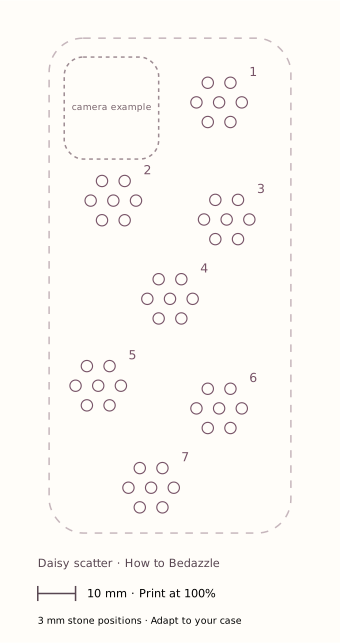
Little heart
28 stones · 31 with 10% spares in one color.
A single 28-stone outline. Arrange the bottom point and upper lobes before filling the sides.
Download little heart SVG ↓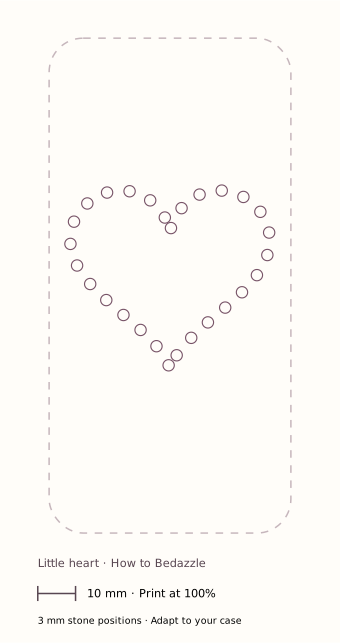
Sparkle border
36 stones · 40 with 10% spares in one color.
Two rows of 18 stones. Keep both lines on the flat back surface, away from the flexible rim.
Download sparkle border SVG ↓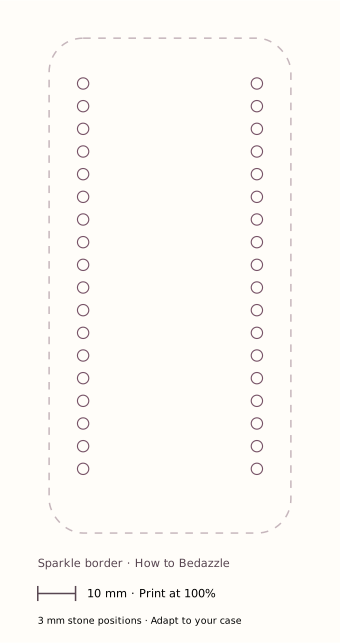
Mini daisy trio
21 stones · 24 with 10% spares in one color.
Three flowers: 3 centers and 18 petals. With spares per color, prepare 4 centers and 20 petals. Good for a smaller first project.
Download mini daisy trio SVG ↓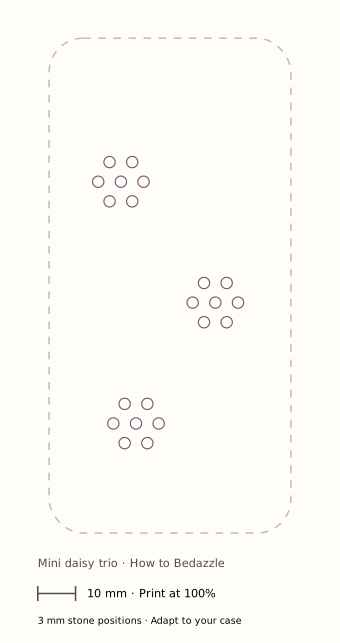
Corner sparkles
24 stones · 27 with 10% spares in one color.
Two L-shaped accents, 12 stones each. Shift the upper accent away from the camera area.
Download corner sparkles SVG ↓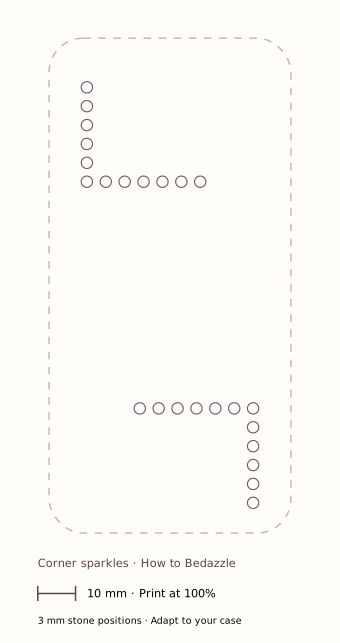
Diagonal ribbon
32 stones · 36 with 10% spares in one color.
Two parallel diagonal lines, 16 stones per line. Use 16 stones per color; prepare 18 of each with spares.
Download diagonal ribbon SVG ↓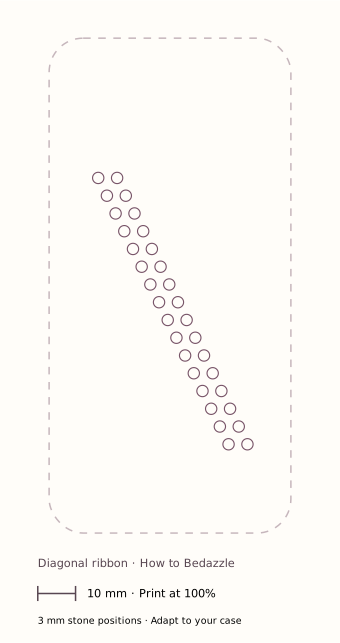
Ombré confetti
45 stones · 50 with 10% spares in one color.
Nine rows of five stones. Divide into three bands of 15 stones; prepare 17 stones per shade with spares. Swap equal numbers across boundaries to soften transitions.
Download ombré confetti SVG ↓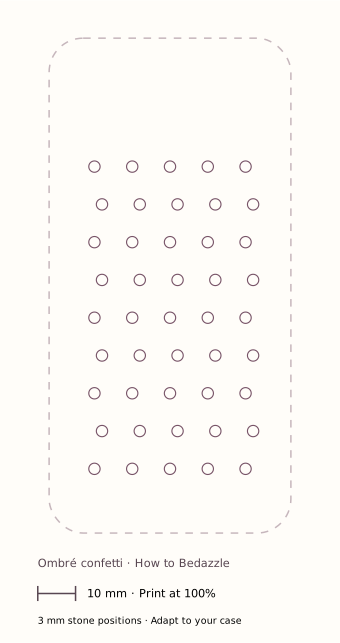
Single star
30 stones · 33 with 10% spares in one color.
A five-point star outline with 30 positions. Keep its orientation consistent when transferring from paper to an opaque case.
Download single star SVG ↓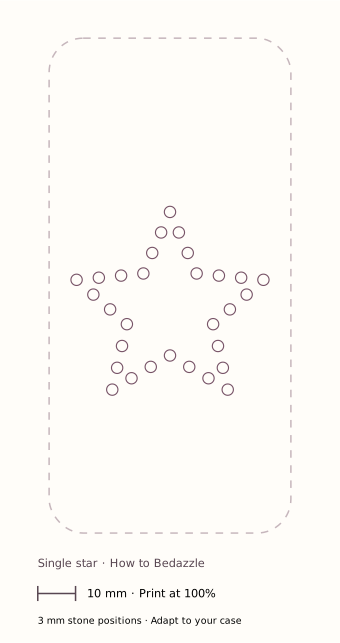
Bottom scallop
17 stones · 19 with 10% spares in one color.
A shallow curved accent with 17 positions. Start at the center and alternate left and right to balance the curve.
Download bottom scallop SVG ↓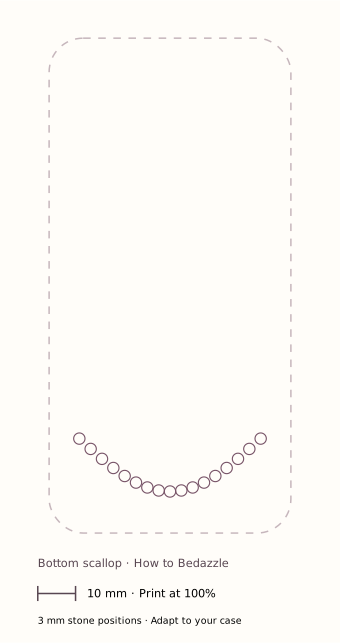
Can I resize a template?
Resizing the paper also resizes its placement spacing. If you keep using 3 mm stones, a reduced print may create overlapping positions. Instead, move or remove complete motifs, or redraw the spacing for a new stone diameter. Do not assume a scaled-down print still fits the same stone size.